- How to Know If You’re Already Infected
- The Evolution of Address Spoofing
- Testing Your System Right Now
- Recognizing Infection Vectors
- Hidden System Indicators
- How to Avoid Getting Infected
- The Mobile Threat Landscape
- Browser-Based Attack Vectors
- Email-Based Attacks
- Building Robust Defense Habits
- How to Remove Clipboard Malware
- Emergency Response Protocol
- Windows System Cleaning
- Mac System Remediation
- Registry and Deep System Cleaning
- Advanced Protection Strategies
- Conclusion
Clipboard malware secretly swaps crypto wallet addresses when you copy/paste them. Here’s how to spot it, avoid it, and get rid of it for good.
How to Know If You’re Already Infected
Before we talk prevention, let’s figure out if you’re already dealing with this nasty malware. The signs aren’t always obvious because modern clipboard hijackers have gotten incredibly sophisticated.
The Evolution of Address Spoofing
Traditional clipboard malware was pretty crude – it would just swap your address with a random hacker address. But the new generation is terrifyingly clever. A new clipboard stealer called Laplas Clipper spotted in the wild is using cryptocurrency wallet addresses that look like the address of the victim’s intended recipient. This means that even if you’re one of those careful people who checks the first and last few characters of an address, you might still get fooled.
Testing Your System Right Now
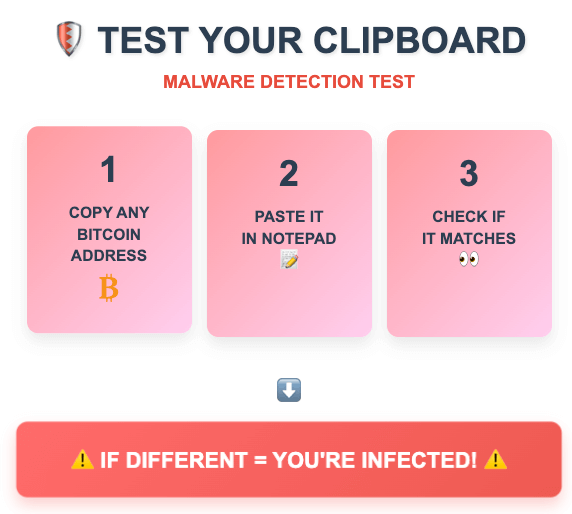
Here’s a simple test you can perform immediately to check if your clipboard is compromised. Copy this Bitcoin address: 1A1zP1eP5QGefi2DMPTfTL5SLmv7DivfNa, then paste it into a notepad or text editor. If what you paste is different from what you copied, you’re infected with clipboard malware.
You should also examine your recent crypto transactions carefully. Look for any transactions where you sent funds to addresses you don’t recognize, particularly if those addresses share the same first six and last six characters as your intended recipient. This pattern matching is a hallmark of modern clipboard hijackers.
Recognizing Infection Vectors
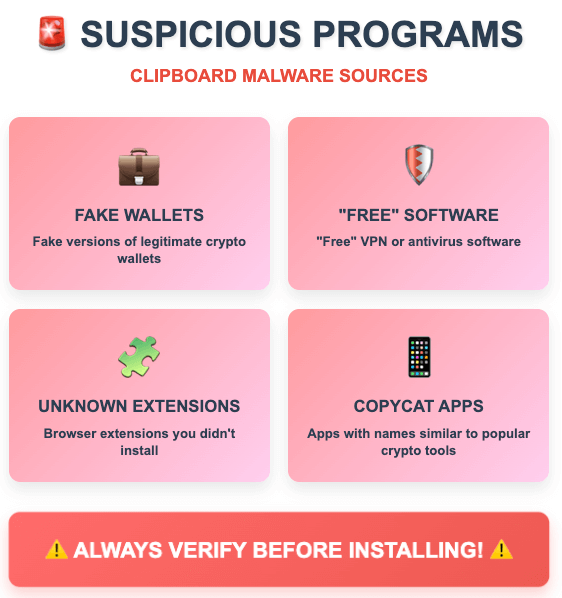
Binance noted that clipper malware is typically distributed through unofficial apps and plugins on Android devices. Victims often downloaded these malicious apps accidentally while trying to find software in different languages or through unofficial websites that they use because of restrictions in the country where they live. The malware creators specifically target users who need localized versions of software or who live in regions with crypto restrictions, knowing these users are more likely to download from unofficial sources.
One particularly insidious infection method involves fake instances of legitimate cryptocurrency applications. In February 2019, a fake version of the crypto wallet MetaMask on Google Play was identified as delivering Clipper. These fake apps often have names that are very similar to legitimate applications, making them difficult to spot unless you’re paying close attention.
The scale of malware distribution is staggering. According to AV-Test, there are over 1 billion pieces of malware on the internet. More than half of that software is Trojan horses, malicious code hidden in otherwise innocent-looking programs. This massive ecosystem of malicious software means that threats can emerge from unexpected sources, including seemingly helpful community posts or software repositories.
Hidden System Indicators
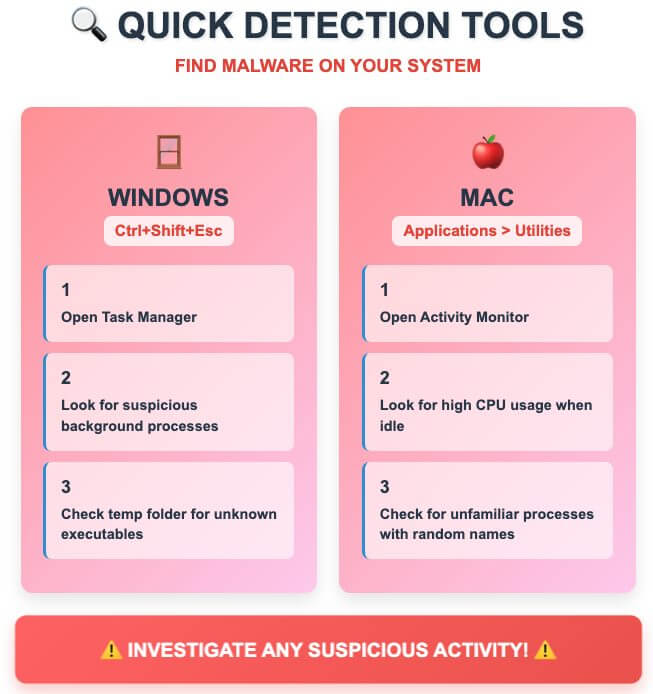
Modern clipboard malware operates with remarkable stealth. As malware like this runs in the background with no indication that it is even running, is it not easy to spot that you are infected. However, there are subtle signs you can watch for. Check your Windows Task Manager for unusual processes, particularly any that consume CPU resources when you’re not actively using your computer.
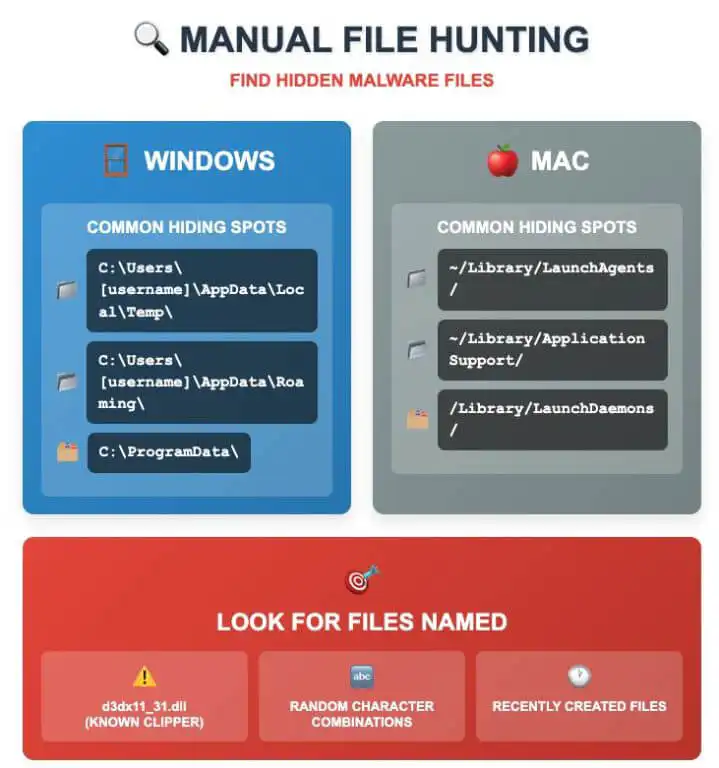
The malware often disguises itself with legitimate-sounding names. Look for recently created files in your temporary directories, especially DLL files with names that sound like system components but weren’t there before. The “DirectX 11” autorun entry is a specific indicator of certain clipboard hijacking malware variants. When installed, a DLL named d3dx11_31.dll will be downloaded to the Windows Temp folder and an autorun called “DirectX 11” will be created to run the DLL when a user logs into the computer.
How to Avoid Getting Infected
Understanding how clipboard malware spreads is crucial for prevention. The threat landscape has evolved significantly, with attackers using increasingly sophisticated distribution methods.
The Mobile Threat Landscape
According to the Binance report, the majority of these attacks target mobile users. This is because typing out a wallet address is even more inconvenient on a mobile device, making copy-paste a logical means of transferring addresses from one app to another.
Android users face particular risks because the clipper malware used in this attack is often distributed via Android apps and plugins in web applications. These are commonly downloaded from unofficial app stores or phishing sites. The Android ecosystem’s openness, while beneficial for functionality, creates opportunities for malicious apps to be distributed outside the official Google Play Store.
Browser-Based Attack Vectors
Another type of clipboard hijacking attack involves the use of a website or web application. In this case, the attacker may embed malicious code into a webpage, which can then access the clipboard data of the user’s computer when the user copies or pastes information from the webpage. This means that simply visiting a compromised website can potentially expose your clipboard to monitoring or manipulation.
Browser security has become increasingly important as attackers target browser extensions and plugins. MetaMask, Coinbase, Phantom, Keplr and more could be at risk as the StilachiRAT malware is able to scan for cryptocurrency wallet extensions in the Google Chrome browser. It can then extract and decrypt saved credentials to access usernames and passwords.
Email-Based Attacks
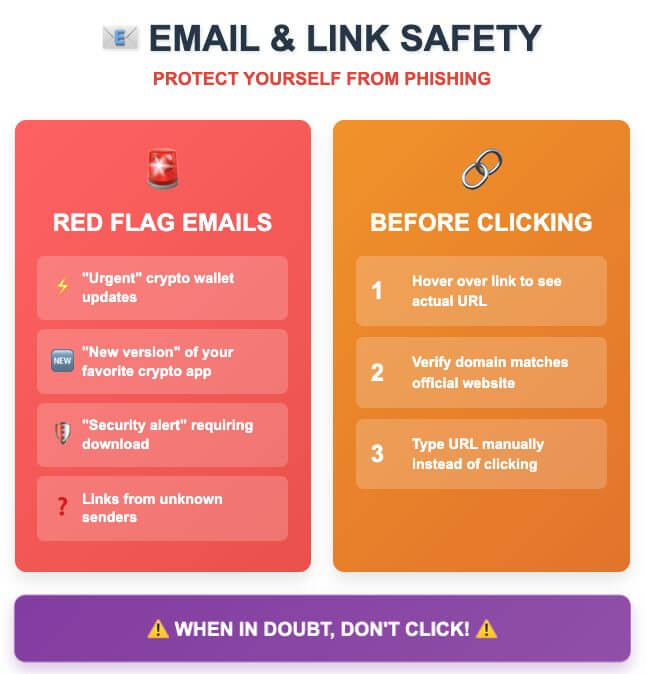
Email-based attacks remain a primary infection vector. Cybercriminals often send emails claiming to be “urgent security updates” for popular crypto wallets or exchanges. These emails typically create a sense of urgency to bypass your normal security practices. Always navigate to the company’s official website independently to verify any security updates rather than clicking links in emails.
Building Robust Defense Habits
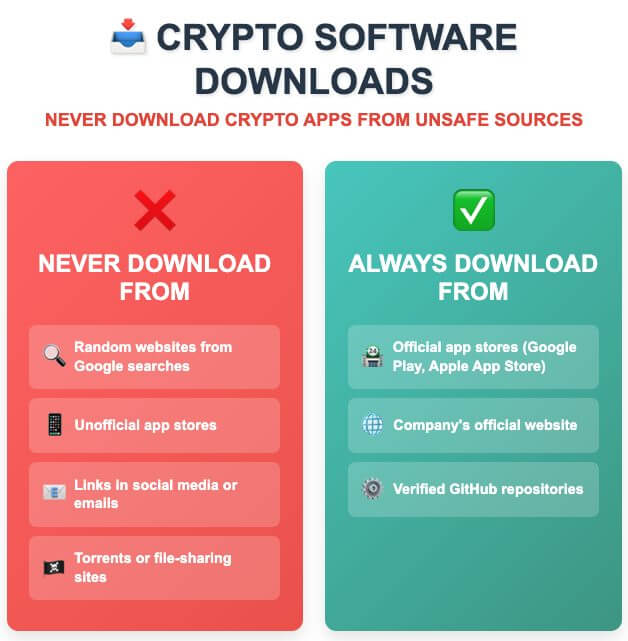
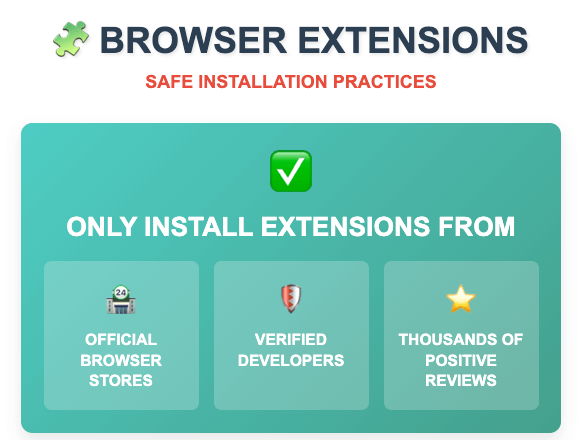
Creating secure download practices requires understanding the full threat landscape. Always verify that you’re downloading software from the actual company’s official website by typing the URL manually rather than clicking links from search results or emails. Check the website’s SSL certificate and look for official company branding and contact information.
For mobile users, the risks are particularly acute. Stick exclusively to official app stores and be extremely cautious about any app that requests unusual permissions, particularly clipboard access. Read app reviews carefully and be suspicious of apps with few reviews or reviews that seem artificially positive.
How to Remove Clipboard Malware
If you suspect infection, immediate action is crucial. Modern clipboard malware can operate continuously in the background, potentially compromising every crypto transaction you make.
Emergency Response Protocol
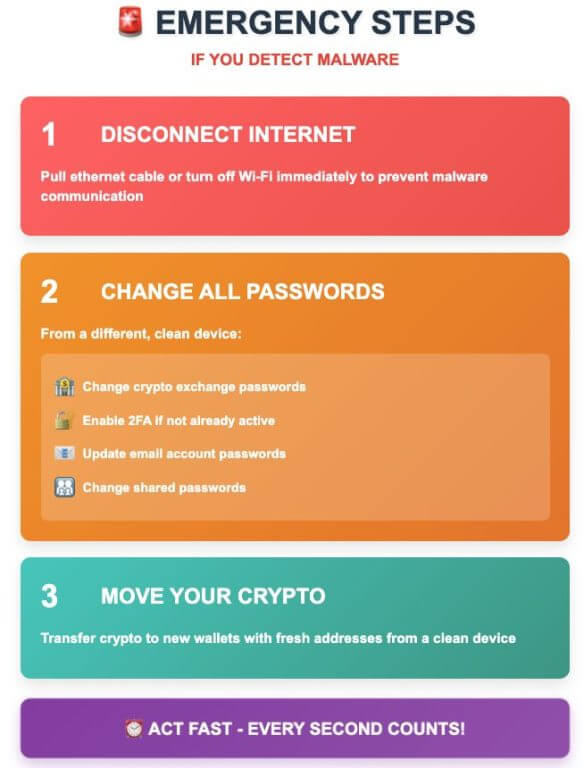
The moment you suspect clipboard malware infection, disconnect your device from the internet immediately. This prevents the malware from communicating with its command and control servers and stops any ongoing data exfiltration. The information gathering RAT can continuously monitor clipboard content, as it actively hunts for sensitive information like cryptocurrency keys and passwords.
From a completely separate, clean device, immediately change passwords for all your crypto exchanges and enable two-factor authentication if you haven’t already. Generate new wallet addresses and prepare to transfer your crypto assets to these fresh addresses. The key is to assume that any addresses you’ve copied recently may have been compromised.
Windows System Cleaning
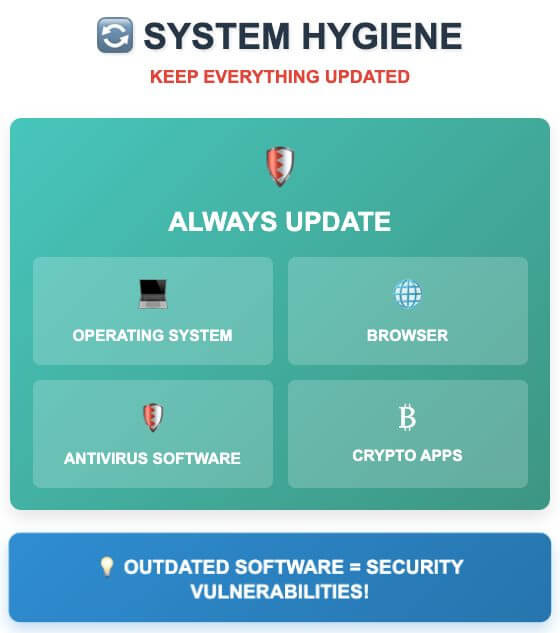
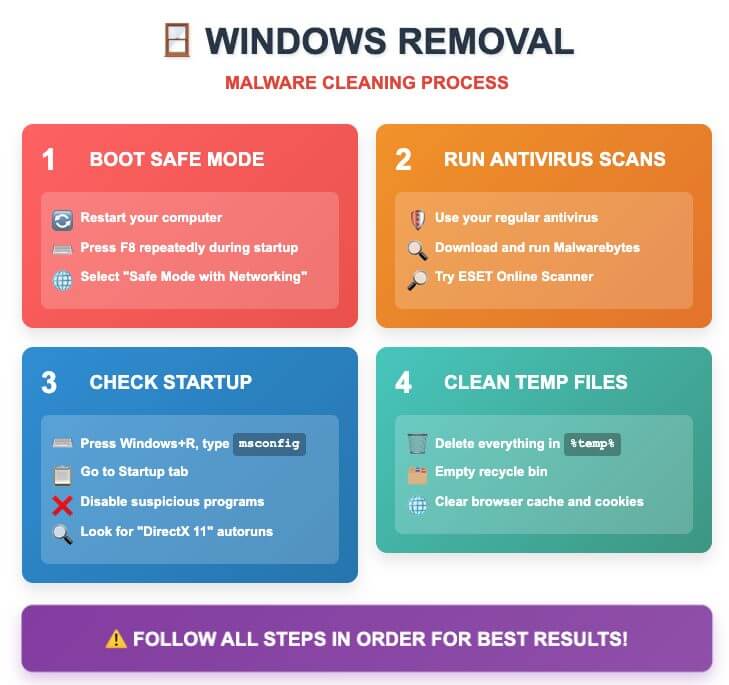
Windows systems require thorough cleaning due to the way clipboard malware integrates with the operating system. Start by booting into Safe Mode to prevent malware from loading its protective mechanisms. Many clipboard hijackers install themselves as system services or startup programs to ensure persistence.
Use multiple antivirus engines for comprehensive scanning. Different antivirus programs detect different malware variants, so running scans with your primary antivirus, Malwarebytes, and an online scanner like ESET provides broader coverage. Focus particularly on scanning temporary directories where clipboard malware often hides.
Look specifically for the indicators mentioned in security researches. One of these infections was spotted as part of the All-Radio 4.27 Portable malware package. When installed, a DLL named d3dx11_31.dll will be downloaded to the Windows Temp folder and an autorun called “DirectX 11” will be created to run the DLL when a user logs into the computer. Check your startup programs for this specific “DirectX 11” entry and remove it if found.
The malware execution pattern is predictable: This DLL will be executed using rundll32.exe with the “rundll32 C:Users[user-name]AppDataLocalTempd3dx11_31.dll,includes_func_runnded” command. You can identify this specific command line in your process list or startup entries.
Mac System Remediation
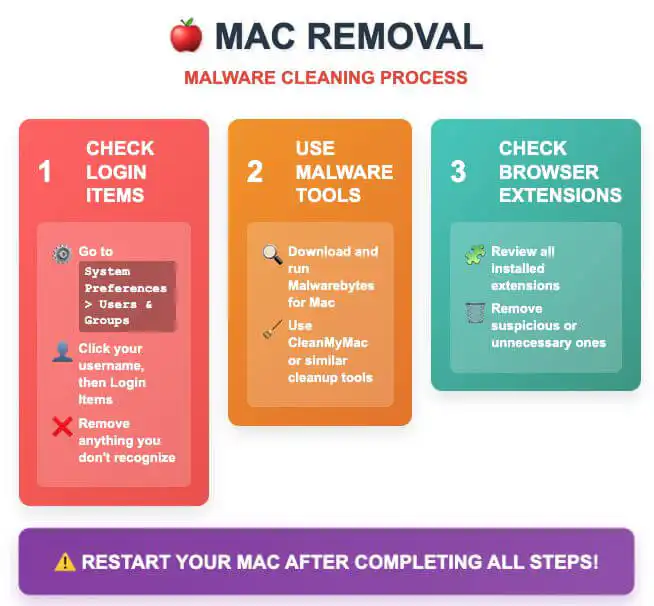
Mac users aren’t immune to clipboard threats. Check your Login Items in System Preferences under Users & Groups for any programs you don’t recognize. Clipboard malware on Mac often disguises itself as legitimate system utilities or productivity applications.
Examine your browser extensions carefully, particularly if you use Chrome with cryptocurrency wallet extensions. Remove any extensions you don’t remember installing or that have requested clipboard access permissions.
Registry and Deep System Cleaning
For Windows users comfortable with registry editing, examine the Run keys in the registry for suspicious entries. Warning: Be extremely careful as incorrect registry modifications can break your system. Always backup your registry before making changes!
- Press Windows+R, type
regedit - Navigate to:
HKEY_CURRENT_USERSoftwareMicrosoftWindowsCurrentVersionRun - Look for entries you don’t recognize
- Delete suspicious entries (backup first!)
Advanced Protection Strategies
Modern crypto security requires understanding both the technical aspects of clipboard attacks and the broader threat landscape affecting cryptocurrency users.
Hardware-Level Security Solutions
Hardware wallets provide the strongest defense against clipboard attacks because they display addresses on their own screens, making address swapping impossible. Hardware wallets (cold wallets) provide the most optimal storage solution for crypto safety. The physical separation between your crypto keys and internet-connected devices creates an air gap that clipboard malware cannot cross.
For users who must use software wallets, consider using a dedicated computer exclusively for crypto transactions. This computer should be kept offline except when absolutely necessary for transactions, and should never be used for general web browsing, email, or downloading software.
Browser-Based Protection Innovations
Some browsers have begun implementing clipboard protection features. Web browser Opera 84 comes with a “Paste-Protection” feature that watches out for any last-second changes to pasted information. This represents an important evolution in browser security, though it’s worth noting that using a browser like Opera 84 could stop your crypto from being stolen but most won’t notice a clipboard hijack until it’s too late.
Implementing QR Code Security
QR codes provide excellent protection against clipboard hijacking because the codes themselves cannot be modified by malware running on your device. When possible, always choose QR code scanning over manual address entry or copy-paste operations.
Conclusion
The most critical security practice is address verification. Even if you copy/pasted, always double-check the address is correct after pasting as clipboard hijacking malware could have swapped the intended address with a hacker’s address. This verification step is your last line of defense against clipboard attacks.
Remember that the crypto landscape is constantly evolving, and so are the threats. As the digital asset market booms, it is typical to see the illicit use of crypto grow in tandem. Staying informed about new threats and maintaining good security hygiene is an ongoing process, not a one-time setup.
Your cryptocurrency security depends on understanding these threats and implementing comprehensive protection strategies. The combination of technical safeguards, secure practices, and constant vigilance provides the best defense against the sophisticated clipboard attacks targeting crypto users today.